
Cursor AI: The Developer’s AI-Powered Coding Companion in 2026

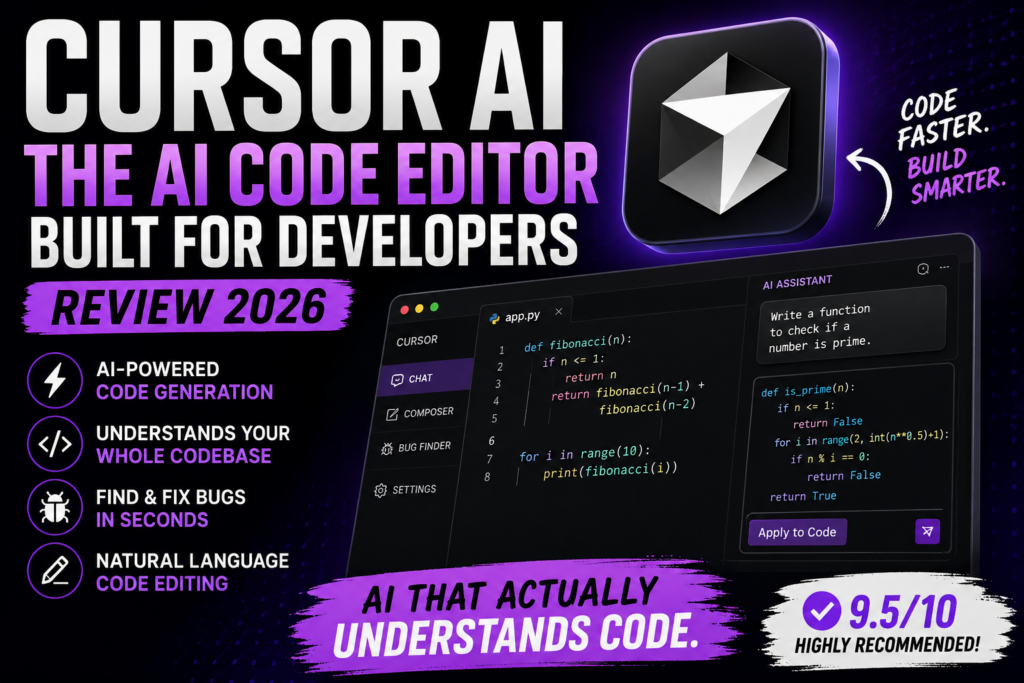
The software development landscape has changed dramatically with the rise of AI-powered coding tools. Among them, Cursor AI has quickly become one of the most popular AI-first code editors, helping developers write, debug, refactor, and understand code faster than ever before.
Built on top of the familiar VS Code experience, Cursor combines powerful AI capabilities with a modern development environment, making it a favorite among developers, startups, and engineering teams.
What is Cursor AI?
Cursor is an AI-native code editor designed to help developers build software more efficiently. Unlike traditional code editors that merely provide syntax highlighting and autocomplete, Cursor acts as an intelligent coding partner capable of understanding entire codebases and assisting with complex development tasks.
Developers can use natural language to generate code, explain functionality, fix bugs, and even perform multi-file edits across large projects.
Key Features
AI-Powered Code Generation
Write code using plain English instructions and let Cursor generate the implementation.
Codebase Understanding
Cursor can analyze your entire project and provide context-aware suggestions instead of only focusing on the current file.
Intelligent Refactoring
Modify large sections of code with simple prompts while maintaining consistency across files.
Bug Detection & Debugging
Identify issues quickly and receive suggested fixes directly within the editor.
Natural Language Editing
Developers can describe desired changes in plain English rather than manually editing multiple files.
VS Code Compatibility
Cursor supports many VS Code extensions, themes, and workflows, making migration simple.
Pros of Using Cursor AI
1. Massive Productivity Boost
Developers can complete repetitive coding tasks significantly faster than with traditional IDEs.
2. Excellent Context Awareness
Unlike many AI coding assistants, Cursor understands broader project structures and relationships.
3. Faster Learning Curve
Junior developers can quickly understand unfamiliar code through AI-generated explanations.
4. Reduced Boilerplate Work
Routine coding tasks such as API endpoints, CRUD operations, and documentation can be generated rapidly.
5. Strong Refactoring Capabilities
Making project-wide changes becomes easier and less error-prone.
6. Familiar Development Environment
Developers already comfortable with VS Code can transition with minimal disruption.
Cons of Using Cursor AI
1. Generated Code Still Requires Review
AI-generated code may contain bugs, inefficiencies, or security concerns that require human validation.
2. Subscription Costs
Advanced AI features may require paid plans, which can be expensive for individual developers.
3. Risk of Overdependence
Developers may become overly reliant on AI-generated solutions instead of strengthening problem-solving skills.
4. Not Always Accurate
Complex architecture decisions and highly specialized implementations may still require manual intervention.
5. Context Limits for Very Large Projects
Although powerful, understanding extremely large enterprise codebases can still present challenges.
Who Should Use Cursor?
Cursor is particularly beneficial for:
- Software Engineers
- Full-Stack Developers
- Startup Founders
- Freelance Developers
- Product Engineers
- Technical Teams
- Students Learning Programming
- AI Application Developers
Whether you’re building web applications, APIs, SaaS products, or AI systems, Cursor can significantly accelerate development workflows.
Cursor vs Traditional IDEs
| Feature | Traditional IDE | Cursor AI |
|---|---|---|
| Code Completion | Basic | Advanced AI-driven |
| Bug Fixing | Manual | AI-assisted |
| Refactoring | Manual | Natural language |
| Code Explanation | Limited | Built-in AI |
| Project Understanding | Developer-driven | AI-assisted |
| Productivity | Moderate | High |
Final Verdict
Cursor is one of the most impactful AI tools for developers in 2026. It transforms coding from a purely manual process into a collaborative experience between developer and AI.
While it doesn’t replace engineering expertise, it dramatically reduces repetitive work, speeds up development cycles, and allows developers to focus on solving higher-level problems.
Rating: 9.5/10
Best for: Developers, startups, engineering teams, and anyone who writes code regularly.
Not ideal for: Developers seeking a completely free solution or those working in highly regulated environments where every line of code requires extensive review.
Website: Cursor AI





Responses